If you want to prepare several item listings, start by making the drafting process repeatable.
The slow part is usually not publishing one item. It is repeating the same small decisions 20 times: photos, title, description, category, condition, price, package size, and final check.
This workflow is for preparing multiple Vinted listing drafts while keeping a final human review.
First decide: set or separate listings
Before you batch anything, decide whether the items should be sold together or separately.
| Situation | Better option |
|---|---|
| Five baby bodysuits in the same size | One set or bundle |
| Three Zara dresses in different sizes | Separate listings |
| Matching pyjama top and bottom | One set |
| Ten different branded tops | Separate listings |
| Similar items in different colours | Usually separate listings |
Vinted allows item sets in some cases, but the items need to make sense together. Vinted’s own help page on item sets says sets can contain up to 5 items and need clear photos and descriptions. If buyers would search for each item on its own, separate listings are usually easier to find.
The fastest safe workflow
Use this order:
- Sort items into piles: tops, jeans, shoes, bags, kids, home.
- Photograph 5 to 10 items in one session.
- Keep each item’s photos together.
- Capture the label, size, condition, and any flaw.
- Generate listing drafts from the photos.
- Review every title and description.
- Add category, condition, price, and package size.
- Publish only when the listing matches the real item.
That is the simple version. It works because each step has one job.
Do not photograph one item, write one title, choose one price, then repeat from zero. That feels natural, but it is slower because your brain keeps switching tasks.
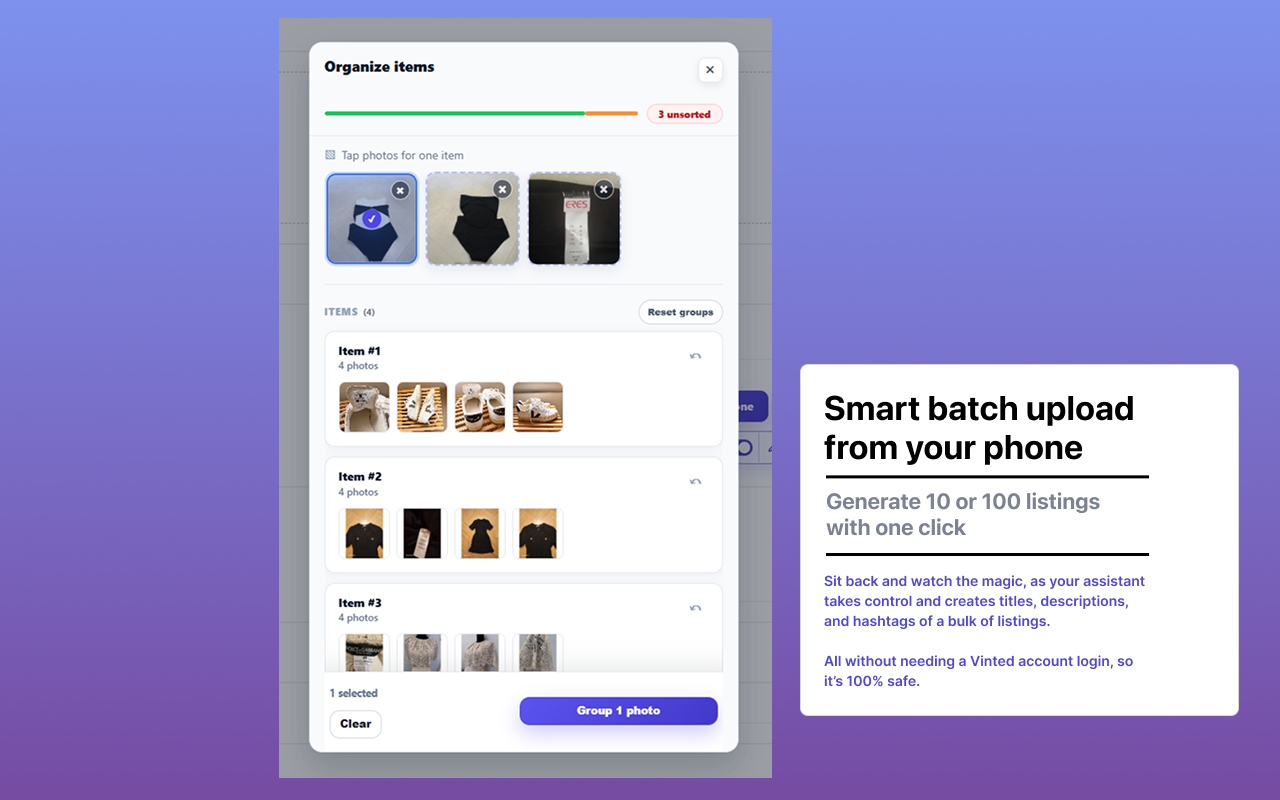
Photo grouping saves the most time
If you want to list many items fast, group photos properly before you write anything.
For each item, aim for:
- Front photo
- Back photo
- Brand or size label
- Material or detail photo
- Flaw photo if needed
Vinted’s upload guide recommends clear photos, a title, a detailed description, the right category, honest condition, price, and package size. Your batch workflow should make those fields easier, not skip them.
The easiest mistake is mixing photos from two items. If that happens, every draft after it becomes risky. Grouping photos well is boring, but it is the part that prevents rework.
Use batch drafts for the writing, not the final decision
This is where a tool helps.
AutoLister AI can turn item photos into titles and descriptions. In the web app, upload your photos, review the drafts, then copy the text into Vinted. With the Chrome extension, generate directly on the Vinted listing page.
AutoLister does not need your Vinted login. It prepares listing text from the photos you select; you review and publish each item yourself.
That review matters. A fast draft is useful only if it is accurate.
Use simple search words buyers actually type
When people search Vinted, they usually type plain words:
| Buyer searches for | Include naturally |
|---|---|
| ”black zara dress size m” | Brand, colour, item type, size |
| ”nike trainers eu 42” | Brand, item type, EU size |
| ”linen shirt women” | Material, item type, gender/style |
| ”kids bundle 3 years” | Item group, age/size |
| ”vintage levi jeans w32” | Style, brand, item type, waist size |
Good titles are boring in the best way:
- “Zara Black Midi Dress Size M”
- “Nike White Trainers EU 42”
- “Levi’s 501 Blue Jeans W32 L32”
- “Kids Summer T-Shirt Bundle Age 3-4”
Bad titles waste search space:
- “cute”
- “must go”
- “worn once”
- “bundle!!!”
Use the words a buyer would type, then keep the description readable.
Batch listing checklist
Before you publish a group of listings, check:
- Each listing has the right photos.
- The title includes item type, size, brand when known, and colour.
- The description mentions real condition, not vague filler.
- Any flaw is shown and written.
- The category matches the item.
- The price makes sense for that exact item.
- The package size is realistic.
- You did not duplicate the same item in two listings.
If you can check those quickly, you can list many items fast without making sloppy listings.
What not to do
Do not copy the same description into every listing. Buyers notice, and search does not reward vague text.
Do not keyword-stuff unrelated brands or styles. If the item is not Nike, Zara, vintage, Y2K, linen, wool, or designer, do not add those words.
Treat batch listing as a drafting workflow. Each item still needs your review before publishing.
Simple 60-minute listing session
Try this:
- 10 minutes: sort 10 items.
- 20 minutes: photograph everything.
- 10 minutes: group photos by item.
- 10 minutes: generate drafts.
- 10 minutes: review and fix the first few listings.
If you run out of time, stop after the drafts. Publishing later is better than pushing inaccurate listings live.
FAQ
What is the fastest way to sell many items on Vinted?
Batch the work: photograph several items, group the photos, generate listing drafts, then review and publish. The speed comes from doing similar tasks together instead of restarting the full process for every item.
Can I bulk upload Vinted listings?
Vinted does not give most sellers a simple bulk upload button. You can still speed up the process by using batch drafts for titles and descriptions, then manually reviewing the final listing fields.
Should I sell many items separately or as a bundle?
Use a bundle or set when the items naturally belong together. Use separate listings when each item has its own buyer search intent, brand, size, condition, or price.
Does AutoLister AI publish or act on my account?
No. AutoLister AI prepares listing drafts from photos. You review and publish them yourself, and it does not message, follow, like, or send offers for you.