Vinted listing resources
From phone photos to a Vinted listing draft
The practical answer
AutoLister can prepare a Vinted title and description from your item photos. Use its phone-upload workflow to send photos to your desktop session, organize them into items and generate editable drafts. You check the details and publish yourself. Preparing a draft is not the same as automatically posting a listing.
Before you publish
How do I get phone photos into my listing workflow?
Install AutoLister in a supported desktop browser and open your listing workflow. Start the phone-upload feature and follow its connection or QR instructions on your phone. Send the item photos, then check that they have arrived in your desktop session. This is a phone-to-desktop workflow; it does not mean the extension runs inside the Vinted mobile app.
How do I organize photos of several items?
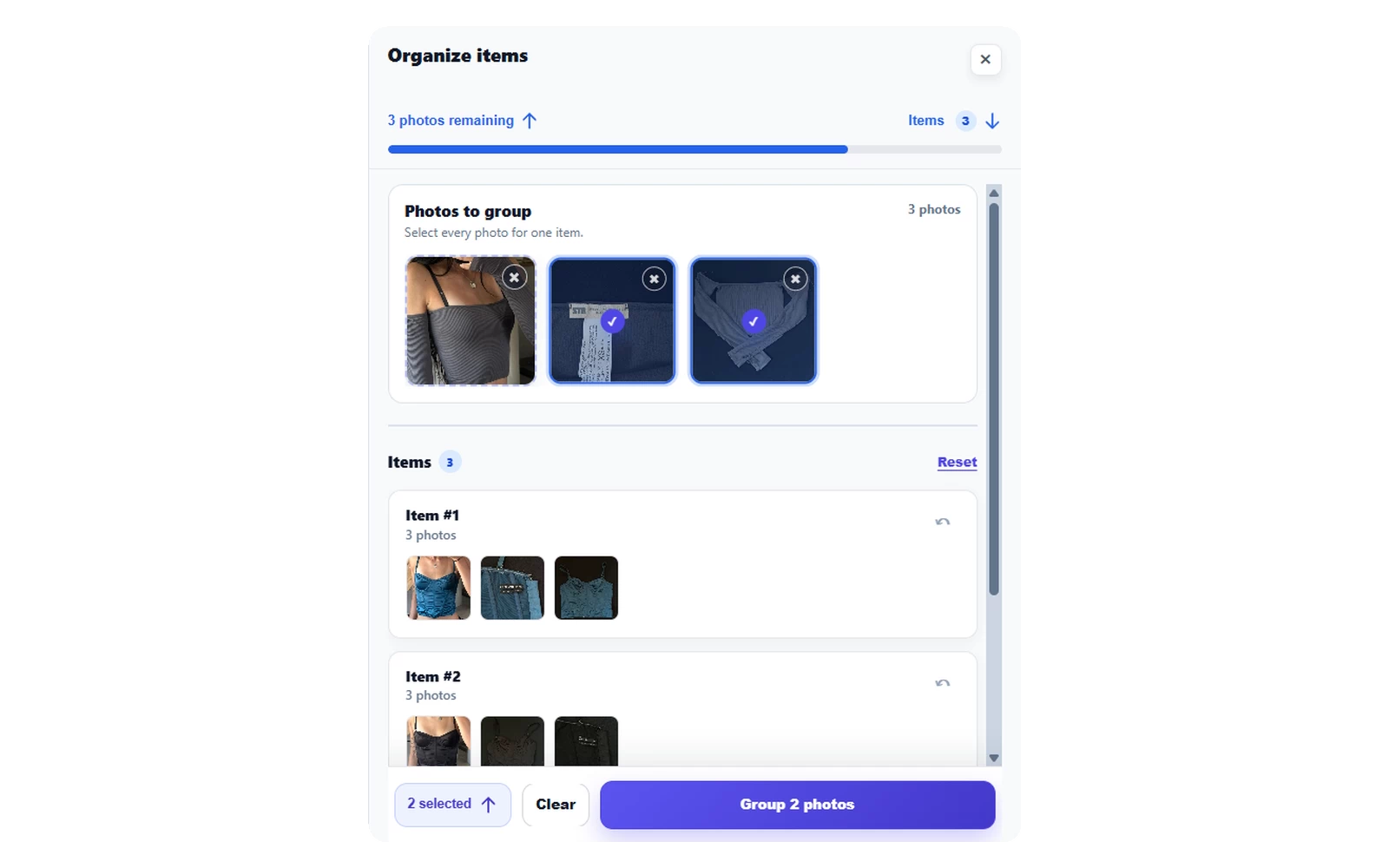
Photograph each item from the front and back, then add its labels and any flaws. Use the photo organizer to group pictures by item before generating text. Check every group: a label photo from a different garment can lead to an incorrect draft. Start with a small batch so you can check the process without losing track of which item belongs to which photos.
What should I change in the generated draft?
Check the suggested title and description against the actual item. Correct misread labels, add measurements you have taken and describe wear that is not visible. Remove any unsupported brand, material or model claims. Review the remaining listing fields and publish only when the draft is accurate. AutoLister reduces repeated writing, but does not replace inspecting your items.
Questions sellers ask
Can AI write a Vinted description from a photo?
Yes. AutoLister uses item photos to prepare editable title and description drafts. It can still misread a label or miss a flaw, so check its output and add facts that are not visible in the photos.
Does AutoLister publish all my Vinted listings automatically?
No. Photo organization and draft generation help with preparation. You review the text and item details, complete the listing and publish yourself. Batch preparation is not automatic posting.
Do I have to email photos to my computer?
No. AutoLister's phone-upload feature connects your phone photos to your desktop workflow. Follow the connection instructions shown in the extension. For running the extension on a phone itself, use the separate device-specific installation guide.
More help with your next listing
Vinted description templates you can copy and edit
Copy a Vinted description template for clothes, shoes or an item with flaws. Add real measurements and condition details, then check your listing before posting.
A Vinted listing checklist for your next item
Use this interactive Vinted listing checklist to review photos, labels, measurements, condition and draft text. Catch missing details before you publish.