AI listing assistant for titles and descriptions

Compatible with Vinted & eBay*.

Create a draft

No install. Upload photos, then copy your text.

iPhone, iPad, Android or computer

For Chrome on your computer

Install AutoLister Extension

Generate directly on the listing page.

iPhone or iPad? Set up with Orion
  • You review every listing before publishing
  • Creates titles, descriptions, and hashtags from your photos

See how it works in 15 seconds

New version screenshots

Open full size

  • €3.99 per month
  • ~80% cheaper vs ChatGPT Plus
  • 75 listings included each month
  • Average 5 seconds from photos to draft

Try first for free No credit card required

An AI Assistant for Listing Drafts

Turn item photos into draft titles and descriptions for you to review.

Conversion Optimized

Clear Listing Drafts

Create a title and description from the details visible in your photos.

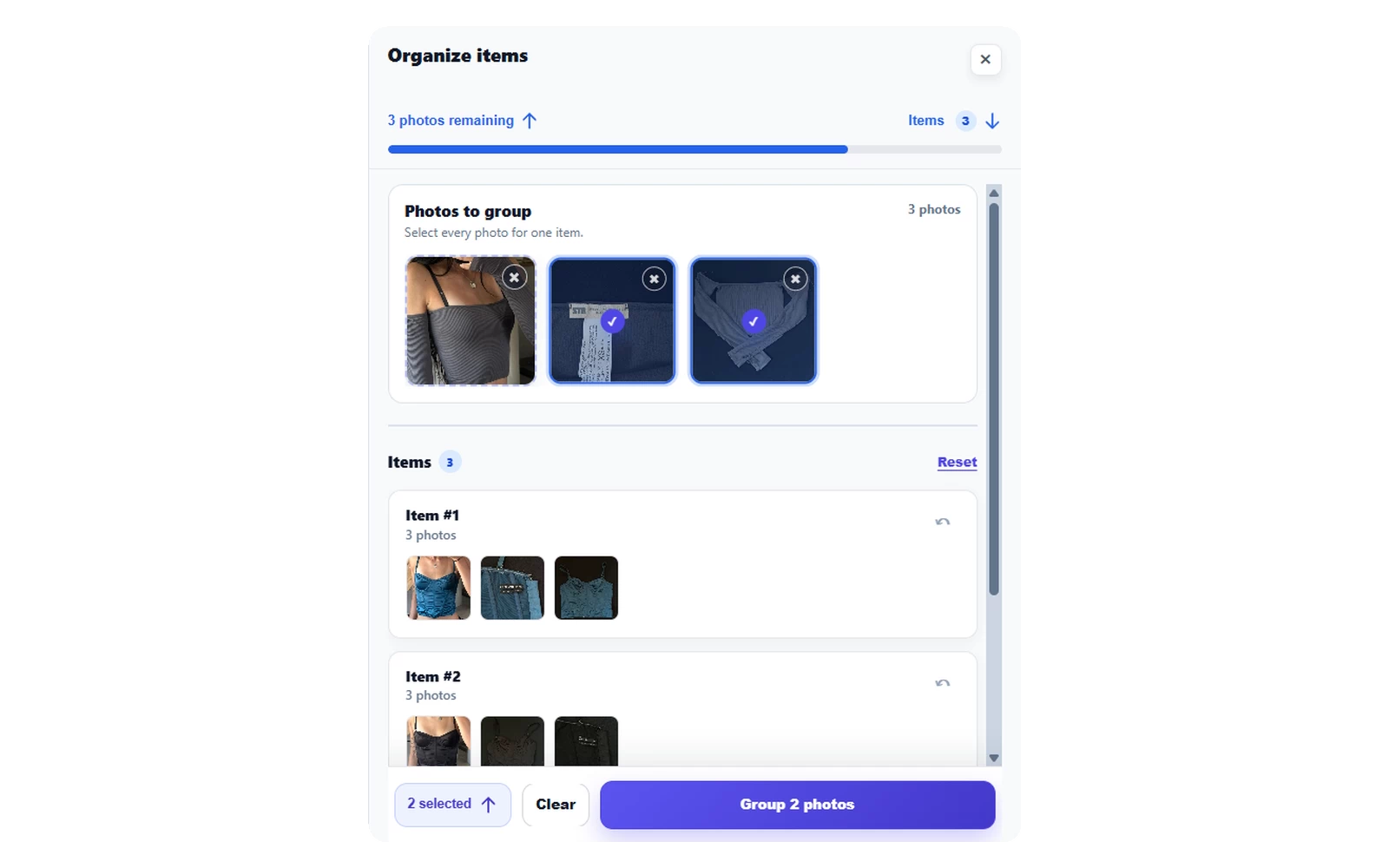
AutoLister phone batch organizer

Organize photos into items

Group mixed photos into separate items before creating your listing drafts.

Smart AI Technology

Smart AI Technology

Uses AI to identify visible item details and prepare editable listing text.

How It Works

Get professional listings in three simple stepsNo install. Upload photos, then copy your text.

1

Install ExtensionChoose your photos

Add the listing assistant to your browser in seconds. It's free to get started.Open the web app. No installation needed.

2

Add Photos & GenerateGenerate your draft

Upload photos on the listing page, or use our mobile feature to snap and sync. Then click Generate.Get an editable title and description from your photos.

3

Review & PublishReview and copy

Review the draft, adjust it if needed, and publish when ready.Check your text, then copy it into your listing.

Successful Vinted Boutique

Ready to Prepare Your Next Listing?

Use AutoLister to prepare editable titles and descriptions from your photos.No install. Upload photos, then copy your text.

Vinted listing resources