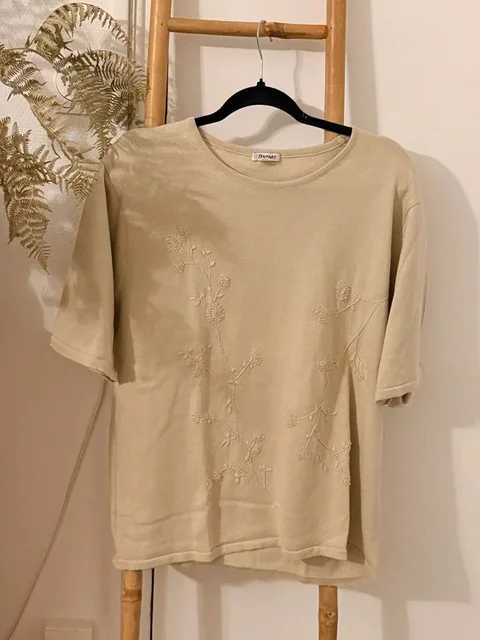
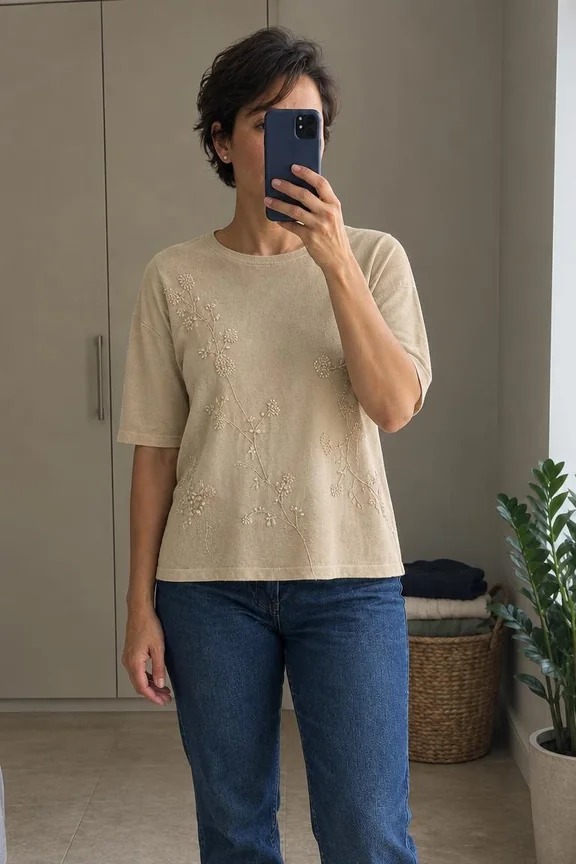
Already have photos of the clothes you want to sell? AutoLister can use them to make two AI model photos for eligible items. You choose the model once and keep it for your next listings.
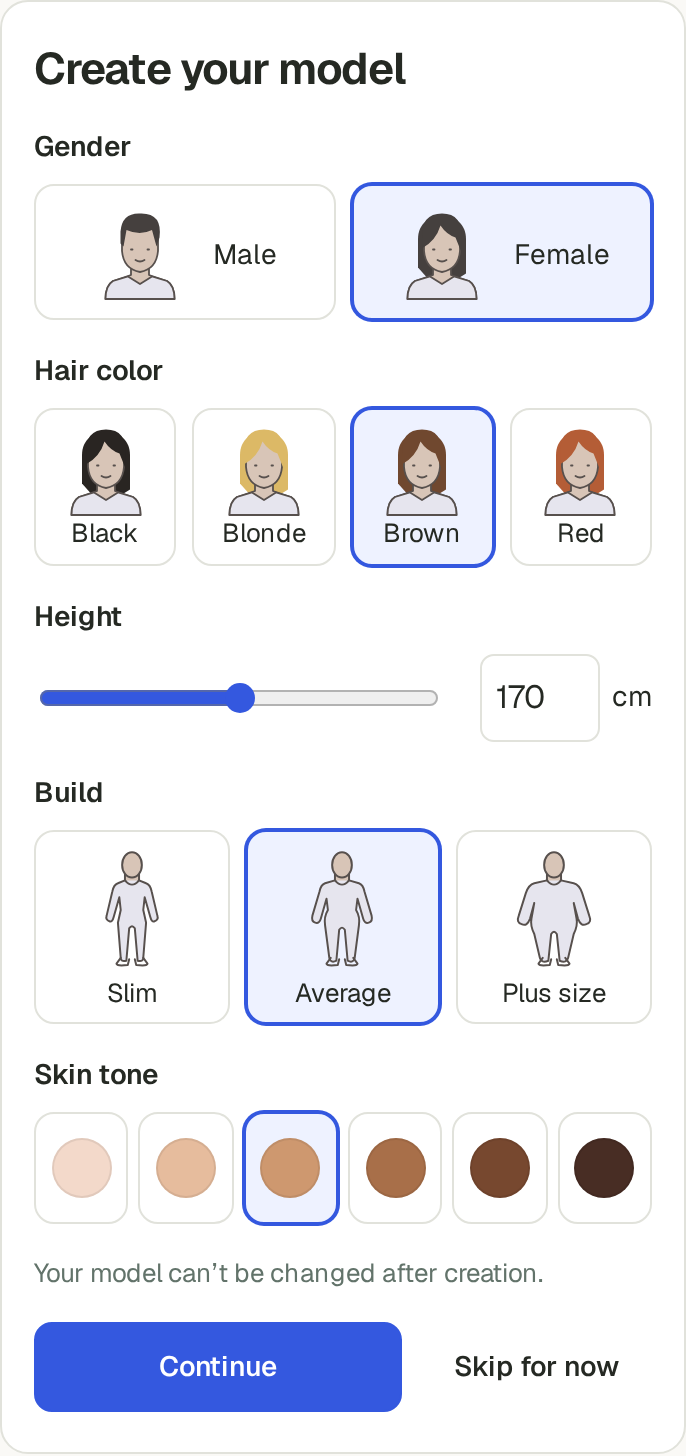
1. Choose your model
Open Your model in AutoLister. Choose the hair colour, height, build and skin tone you want, along with the gender. Check your choices before creating it: you cannot change the model afterwards.
2. Upload your item photos
Use clear photos of the actual item, including the back and any important details. Keep the original photos in your listing so buyers can see labels, fabric and wear.
3. Generate, then check the photos
Turn on Your model and generate your listing. AutoLister adds two model photos when the item is suitable. Compare them with your originals, especially the colour, seams, fastenings and logos. Remove any photo that gets those details wrong.
Already have a listing?
With the extension, open your Vinted listing for editing and choose Add model photos. This leaves your title and description as they are. You still review and save the listing yourself.
Your model stays in your account. Leave it enabled for the next item, or switch it off in settings.
A seller’s before and after
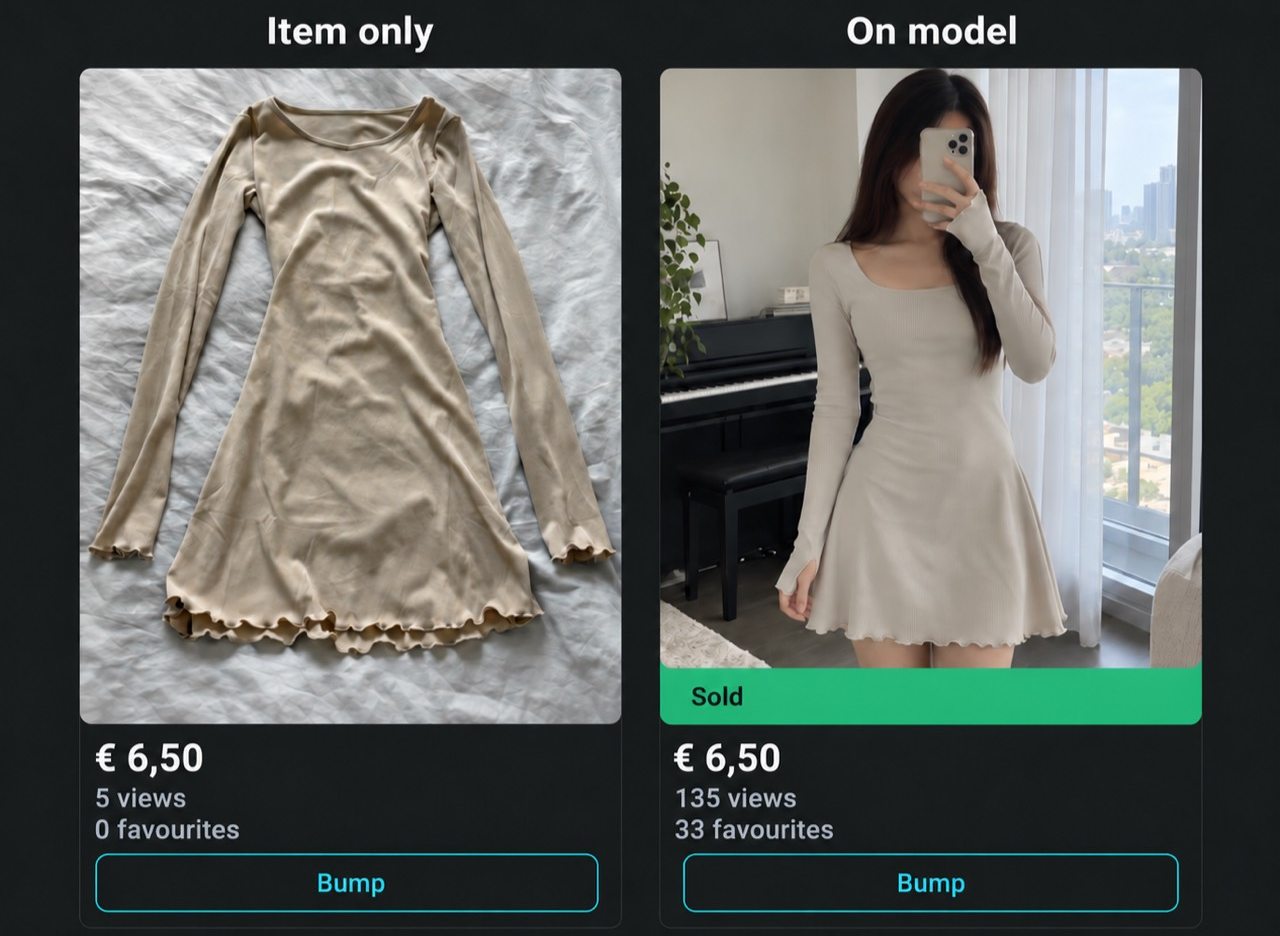
See the original before-and-after photos from a seller’s wardrobe.
Review AI photos before posting. Use on Vinted at your own risk.